AI Agents for Manufacturing: Meaning, Use Cases and Deployment Plan
AI agents for manufacturing explained: what they are, 8 closed-loop use cases, the tools to use, and a 90-day plan to deploy them on the plant floor.

Alice Johnson
5 min read
AI agents for manufacturing explained: what they are, 8 closed-loop use cases, the tools to use, and a 90-day plan to deploy them on the plant floor.
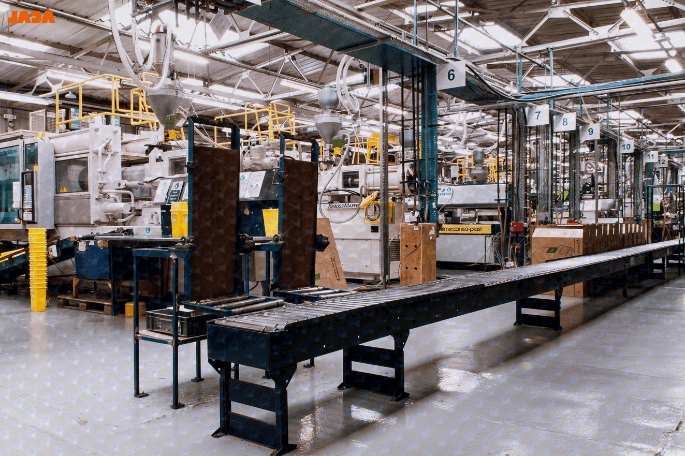
AI agents for manufacturing are autonomous software systems that watch plant data, reason against an operational goal, take approved actions in the systems that run production, and check whether the action worked. That last step is what separates them from dashboards and alerts. A dashboard tells a supervisor that Line 3 is slowing down. An agent works out why, moves the next batch to Line 2, raises the maintenance request, and confirms the schedule held.
The timing matters. In a recent survey, 56% said their organizations are already using AI agents, and 37% have launched more than ten. But, a lot of agents also because of rising costs, unclear value, or weak risk controls. Both facts hold, and the gap between them is where this guide sits.
You will find a plain definition, a comparison with RPA and predictive AI, eight use cases with the systems and KPIs involved, a view of the tooling, an autonomy ladder for safe rollout, and a 90-day plan. If you would rather start from your own shortlist, book a scoping call with JADA and we will pressure-test it with you.
AI agents in manufacturing are autonomous, goal-driven software systems that connect to production, maintenance, quality, and supply-chain systems, reason about constraints such as capacity, labor, and material availability, execute approved actions, and verify the outcome. They differ from rule-based automation because they choose between options instead of following a fixed script.
In practice, an agent is a loop wrapped around a reasoning model and a set of permissions. The model interprets messy context, such as a maintenance note, a supplier email, or a drifting sensor trend. The permissions decide which systems the agent may read and which actions it may take. A well-built agent never has more access than the person it assists would have.
A second term is worth pinning down, because buyers search for it separately. Agentic AI in manufacturing is the design approach in which one or more agents coordinate across production workflows with defined levels of autonomy, rather than a single model answering isolated questions. One agent might own maintenance planning while another owns scheduling, with an orchestration layer settling conflicts between them. That coordination is why agentic systems reach across silos that traditional software kept apart.
Not sure which workflow in your plant qualifies? A scoping call with JADA turns a long list of ideas into one ranked pilot.
Most confusion in this market comes from vendors using "agent" for four different things. Gartner has a name for it: agent washing, meaning the rebranding of assistants, RPA, and chatbots as agentic products. Gartner estimates that only about 130 of the thousands of vendors claiming agentic capability are real. The table below is a quick test you can run on any product.
The practical rule is simple. If a product cannot choose, act, and verify without a person clicking each step, it is automation or assistance, which is still valuable but priced and governed differently. Many of the best deployments combine all four: a predictive model raises the risk, an agent decides what to do about it, and an operator approves the first few actions.
Every manufacturing agent runs the same six-stage loop, and knowing it makes vendor claims easier to test.
Most deployments place agents at the supervisory and enterprise layers, above the control loops that run machines. The agent reads from and writes to systems such as MES, ERP, CMMS, QMS, and WMS through APIs, and it follows the integration boundaries described in ISA-95. It does not rewrite PLC logic. Keeping that separation is what lets a plant adopt agents without reopening its safety case.
The verify step deserves the most attention. An agent that acts without checking the result is a faster way to repeat a mistake. Teams that measure verification, for example by comparing OEE before and after each action, build trust much faster than teams that only count the actions taken.
Tell us what you need. We will build, deploy and manage the AI Agent for you.
Agentic AI use cases in manufacturing are closed-loop workflows in which an agent detects a condition, decides using several data sources, acts through a plant system, and verifies the result. The eight agentic AI applications in manufacturing below are ordered by how often they reach production first. Each lists the trigger, the systems touched, the action, and the KPI to baseline before you start.
Predictive models already flag failing assets. The agent turns that flag into a coordinated response: it checks the production schedule, finds a low-impact window, confirms parts and technician availability, and books the work. The business case is large. Reports estimate that unplanned downtime costs the world's 500 biggest companies about $1.4 trillion a year, roughly 11% of revenue, and that an hour of automotive downtime costs about $2.3 million.
Schedules break when a machine goes down, a material arrives late, or a rush order lands. A scheduling agent recalculates the sequence against capacity, setup times, and delivery commitments, then proposes or applies the new plan. In automotive assembly, for example, a delayed component can be handled by resequencing vehicles that do not need it instead of stopping the line.
A defect investigation normally means pulling records from the QMS, MES, maintenance log, and material system by hand. A quality agent correlates process parameters, material lots, and machine history, ranks the likely causes, identifies affected batches, and recommends containment. Humans keep the release decision.
The constraint on a line moves as product mix and staffing change. An operations agent watches cycle time, queue length, and downtime, names the active constraint, and writes the shift summary a supervisor would otherwise spend an hour assembling. It then recommends line balancing or a maintenance intervention.
Supplier delays reach the line days after the supplier knew. A supply agent monitors purchase orders, shipment status, and stock, judges which delays threaten production, and prepares the response, such as expediting, an alternative source, or a plan change. 62% of supply chain leaders say agents embedded in operational workflows speed up action.
Energy-intensive processes are sensitive to tariffs and peak demand. An energy agent aligns flexible production steps with lower-cost periods and balances machine loads while holding output and quality constraints. It works best where operations have schedule flexibility, such as batch processes.
Records scattered across systems slow audits and release. A documentation agent assembles batch and deviation records, checks them for completeness, routes exceptions to the owner and maintains the audit trail. This matters most in regulated sectors such as pharmaceuticals, food, and aerospace.
Experienced technicians retire, and new ones need faster ramp-up. A frontline agent answers troubleshooting questions using manuals, work instructions, and past incidents for the exact machine and fault code, and logs what it learned. It is the lowest-risk entry point because it advises rather than acts.
Want JADA to size the first one for your plant? Request a scoping call with JADA today!
AI agents for manufacturing operations are agents assigned to the recurring decisions that run a plant day to day: scheduling, maintenance, quality, materials, and shift management. The first deployment decides whether the program earns a second one, so choose the workflow with care. Strong candidates share one trait: a frequent decision that draws on several systems and ends in a defined action.
Score each candidate from 1 to 5 on six questions, then start with the highest score that carries the lowest operational risk.
Plants with a mature CMMS and clean maintenance history usually find maintenance planning scores best. Plants with strong MES data often start with shift performance or quality investigation. Frontline operator support is a sensible first agent when data is patchy, because it advises instead of acting. Baseline the KPI for your chosen workflow for at least a few weeks before the agent goes live, or you will not be able to prove what it changed.
AI tools for manufacturing fall into five layers: data and connectivity, models, agent frameworks and orchestration, plant-system integrations, and governance and monitoring. Buying a tool for one layer rarely solves the others, which is why many pilots stall between a good demo and a working deployment.
The products named in the first three rows are among those listed in Gartner Peer Insights' AI agents for manufacturing category, alongside offerings from ABB, Schneider Electric, Rockwell Automation, Infosys and Augmentir. A listing is a starting point for research, not an endorsement.
On build versus buy, the dividing line is how far the workflow crosses systems. Buy when the job sits inside one vendor's platform, such as a copilot inside your ERP. Build, or commission, when the workflow spans MES, CMMS, and supplier data, depends on your proprietary process knowledge, or is a source of competitive advantage. Most plants end up hybrid: bought platforms for the foundation, custom agents for the workflows that make them different. If you want an independent view on that split, JADA runs a short assessment that maps your workflows to the right option.
Autonomy should be earned in steps. The ladder below gives plant, IT, and safety teams a shared vocabulary for deciding how far each agent may go.
Safety functions stay outside the ladder entirely. Agents should not control safety-rated systems or override interlocks. For everything else, put four controls in place before moving a level up: defined decision boundaries, human-in-the-loop approval for higher-impact actions, a full audit trail of what the agent saw and did, and a tested way to pause or roll back.
Standards give you a head start. IEC 62443 covers industrial cybersecurity, ISA-95 defines the boundary between enterprise and control systems, the NIST AI Risk Management Framework and ISO/IEC 42001 structure AI governance, and in the European Union the AI Act can classify AI used as a safety component of machinery as high-risk. Check how these apply to each site with your compliance team. Governance designed in from day one is cheaper than governance retrofitted after an incident.
The Gartner forecast cited earlier names three causes: escalating cost, unclear business value, and inadequate risk controls. In plants, they show up in recognizable patterns.
Score candidates, pick one workflow on one line, record the baseline KPI, map the systems and permissions, and agree decision boundaries with operations, IT, and safety.
Build the agent against real data, run it in shadow mode where it recommends but does not act, and compare its recommendations with what experts actually did.
Move to level 2: the agent prepares actions and a named approver signs off. Track accuracy, approval rate, KPI movement, and cost per task weekly.
Raise autonomy for the action types with a clean record, then repeat the pattern on a second line or workflow.
The plan assumes the data and integrations are reachable. If they are not, add a data-readiness sprint first, since skipping it is the most common reason timelines slip.
Building an agent is the smaller half of the job. Running it safely for years, with changing systems, models, and costs, is the larger half. JADA is a boutique agentic AI company that designs, builds, and manages bespoke AI agents. We are technology-agnostic across Claude, OpenAI, Copilot, and open models, and a member of the Anthropic Claude Partner Network.
If you are choosing between a platform vendor, a systems integrator, and a specialist, that track record in production agents is a useful comparison. Book a scoping call and bring the workflow you are considering. You will leave with a ranked shortlist, the systems it touches, and a view on what to build, buy, or manage.
Start where data is clean, and the action is low risk: predictive maintenance planning, shift performance summaries, quality investigation support, and frontline operator assistance. These workflows have measurable KPIs such as unplanned downtime, OEE, and first-pass yield, and they work well at recommend or act-with-approval autonomy. Avoid starting with anything that touches safety-rated control.
Yes, when they operate within defined limits. Agents typically work at the supervisory and enterprise layers, with scoped permissions, human approval for higher-impact actions, audit trails, and a rollback path. They should not control safety-rated systems or override interlocks. Standards such as IEC 62443 and the NIST AI Risk Management Framework help structure the controls.
A focused single-workflow agent can reach supervised production in roughly 90 days when data access and integrations are ready. That is a planning assumption, not a guarantee. Multi-plant rollouts, legacy systems, and higher autonomy take longer, and a data-readiness sprint may be needed first.
No. Agents sit on top of existing systems and use them as sources of truth and as the place where actions are executed. The MES still runs production, the ERP still holds orders and inventory, and SCADA still controls equipment. The agent coordinates decisions across them and records what it did.
Baseline one workflow KPI before launch, such as unplanned downtime hours, scrap rate, or schedule adherence. Track it alongside the agent's cost per task, approval rate, and accuracy. Then convert the KPI change into money using your own cost of an hour of downtime or a scrapped batch, and compare it with build and operating cost.

